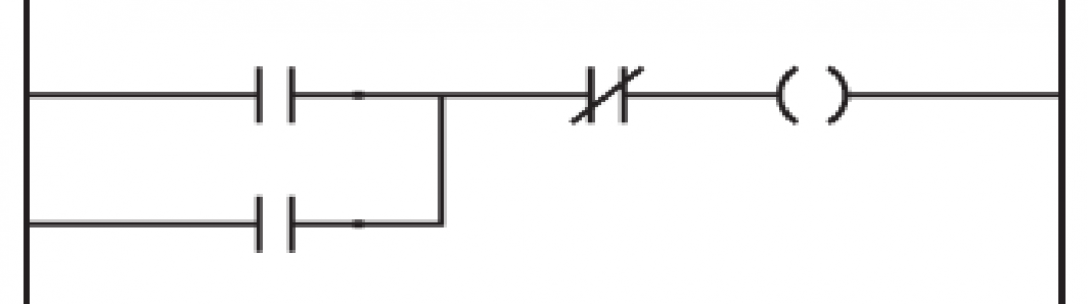
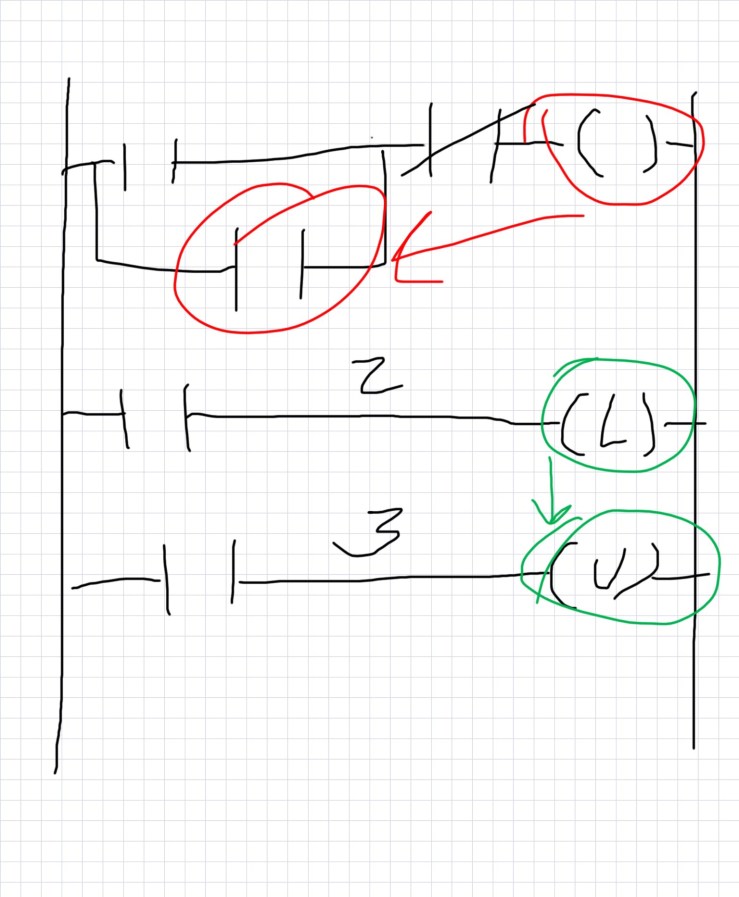
Latching can be done in many ways in a PLC. I am sharing a few easy examples to get you started so you will have an idea of what it is when its presented to you. The most simple way to think about a latch is when thinking of an electric motor being turned on with a momentary push button. A momentary push button is not like a light switch that holds its state (the light stays on because the light switch closes the electric circuit and keeps current running through the light bulb). The momentary push button only flashes on for a short amount of time and something else has to maintain the closed circuit. I will talk about 3 simple ways to do this. Method 1 and 2 will be from the the 1st rung in my drawing. Method 3 will be from the second and third rungs on the drawing.
Method 1 – The top rung has a branch with a contact -||- on top which is representative of a push button input into the PLC or any other quick off/on indication. The curly thing on the right hand side is a coil -( )- (output bit). For the first example we will use a reference to the output bit and put it on the branch under the momentary bit. So what this does is if the bit is turned on it also hold the bit high. Further down the rung before the coil is a -|/|- bit (normally closed contact). This bit is high until another button is pushed or some other logic goes high.
Method 2 – Very similar to the one above. The only difference would be on the branch below another contact related to the actual device the PLC is turning on is sending back indication that it was turn on or running. This would be like if you turned on a motor and a contact on the motor sent you a signal that is was running. This type of contact sending running indication is called the Auxiliary contact or AUX for short. This contact would hold the coil/output high until the normally closed contact is pushed (breaking the logic).
Method 3 – Most PLC programs also have a bit called a Latching bit. This bit looks like an L in parenthesis -(L)- . The Latch bit always works with an unlatching bit. The unlatching bit looks like a U in parenthesis -(U)-. This works fairly simple. When you turn on the bit, in this sample I’m just using a simple contact, the latching bit holds high. The bit holds high until the Unlatch bit is made high. In my example I just have another contact which could be representative of a stop or off button.
These samples are really simple and can be made complicated for whatever latching you need for your project. Hope this helps.
Luke


[…] limit switch, proximity switch output, etc…). Latch the bit, as seen in the last blog post. (Simple Latching in a PLC) Now fire a timer (TON) with your latch bit. We want to set the timer to the amout of time you want […]
LikeLike